Your AI apps, under the rules you set.
Saphan Desktop starts the AI apps your people already use and holds them to rules you choose: which hosts they may reach, which folders they may use, and what is recorded. Beta, for macOS.
Download next week
The beta of Saphan Desktop for macOS arrives next week.
The download will be signed with our Apple Developer ID, and the SHA-256 of the file will be printed beside the button, so you can check the file before you open it.
What it does
Network rules
You list the destinations an app may reach. The traffic to the app’s own model is managed for you and cannot be edited by mistake. Unlisted destinations are blocked, and changes apply to new sessions.
Working folders and profiles
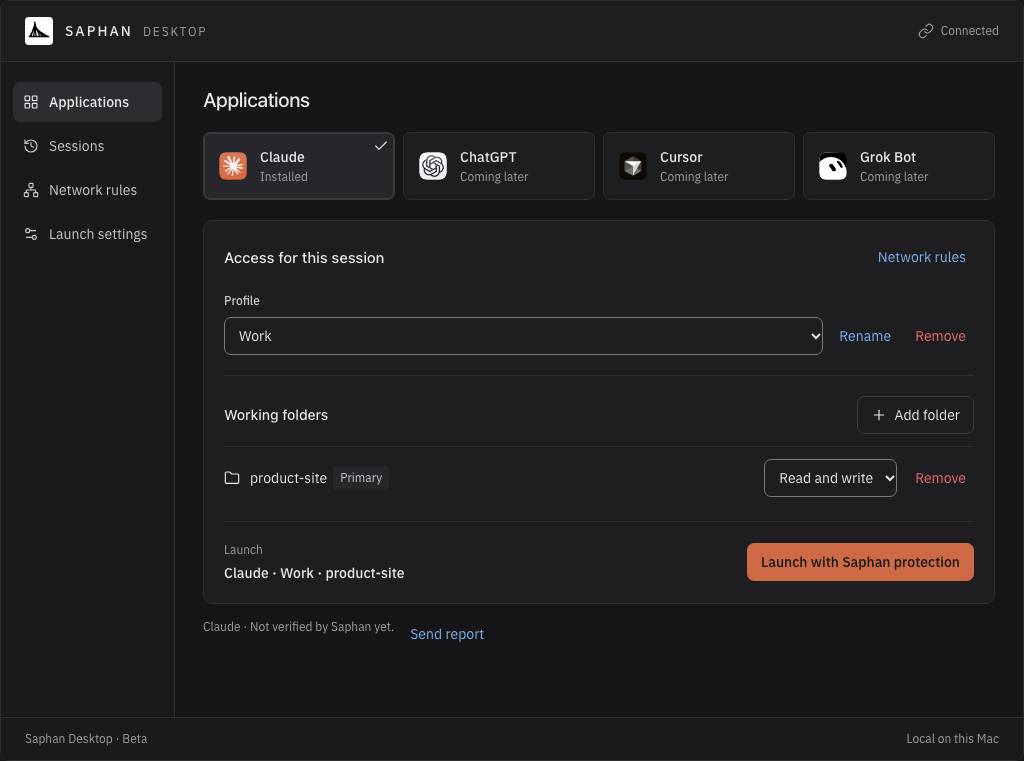
You choose the folders for a session, each one read only or read and write, and keep them in profiles such as Work and Home.
Sessions you can read afterwards
Every launch is a session with its own entry: when it ran, what was recorded and how it ended. If a required protection cannot be put in place, the app is not started and the session is listed as blocked.
Your own guardrail
Point Saphan Desktop at your NVIDIA NeMo Guardrails API server or NVIDIA Nemotron Content Safety service and require it for new sessions. Protection counts as active only when the session confirms it.
What the beta is, plainly
It says what holds and what does not
Protection depends on the app and on the session. Saphan Desktop names each layer, from network and folders to credentials, guardrail and recording, and a layer that is not held is shown as not held.
Claude first
The beta starts Claude. ChatGPT, Cursor and Grok are listed in the app as coming later.
Local on your Mac
It runs on your Mac without a Saphan Studio server, and your rules are saved there. Nothing is sent to us on its own: Send report opens your own mail app with a report you can read first.
With Saphan Studio next
In Team and Enterprise, Saphan Desktop will connect to Saphan Studio, so that the organisation’s rules and the same record reach the desktop apps too.
Claude, ChatGPT, Cursor, Grok, NVIDIA, NeMo and Nemotron are trademarks of their respective owners. Saphan Desktop is an independent product and is not affiliated with or endorsed by them.
Beta feedback
Tell us what you see: [email protected]